Clients pay for care they mostly cannot see. A monthly report shows them the work: uptime, updates, performance, security and fixed errors. With white-label, the reports, emails, client portal and connector plugin all carry your brand instead of WPkeeper's.
Generate a report
Go to Reports and fill in Generate a report.
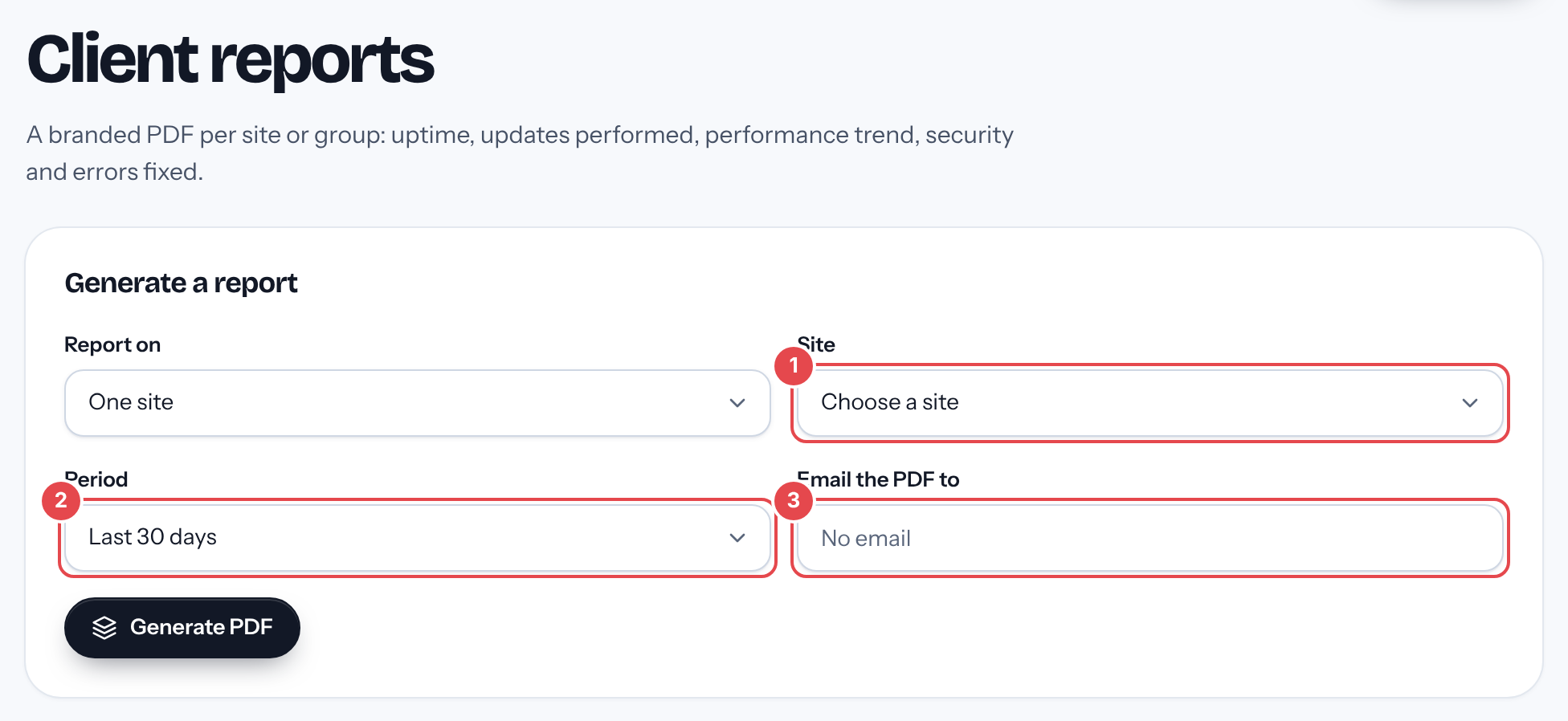
- Choose One site, or A group of sites by tag and environment, for a client with several sites.
- Choose the Period: the last 7 days, the last 30 days, or your own dates.
- Optional: type an address in Email the PDF to. Leave it empty to just create the PDF.
The report covers:
- Uptime for the period and every incident;
- Updates performed: each core, plugin and theme update with its versions;
- the performance trend from the daily Lighthouse runs;
- a security summary: checksum scans and known vulnerabilities;
- errors fixed: PHP errors resolved during the period.
Download, preview and schedule
Every report is in the list below the form.
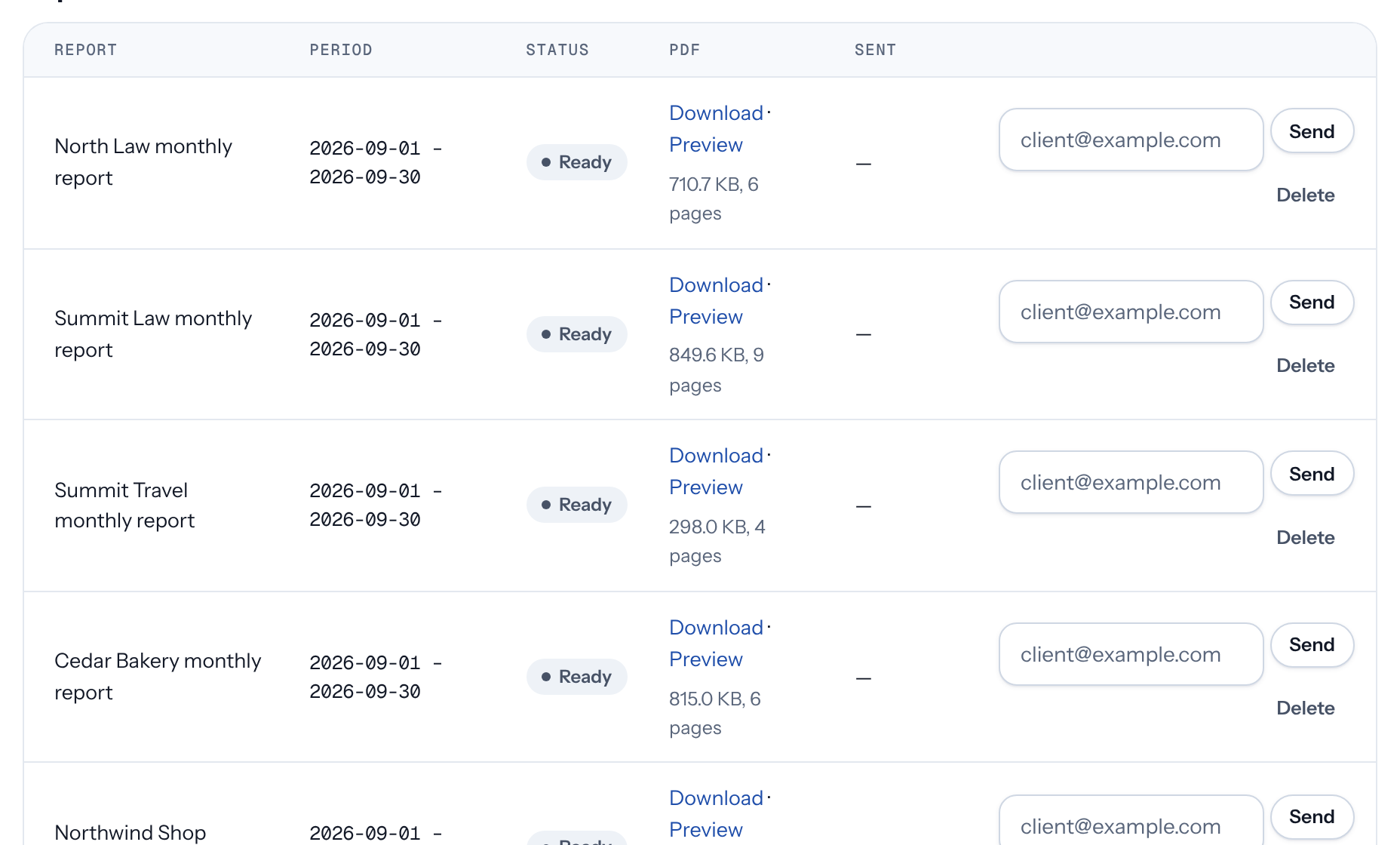
Download the PDF, open the HTML preview, or email it. Under Monthly reports, schedule the target chosen in the form above: on the day of the month you choose, WPkeeper makes the report for the previous month and emails it. A site report goes to the site's client email unless you give an address in Send to.
Set a site's client email in its Settings. Clients who sign in to the portal can download their own reports.
White-label
Settings → White-label sets your brand. Owners and admins can change it.
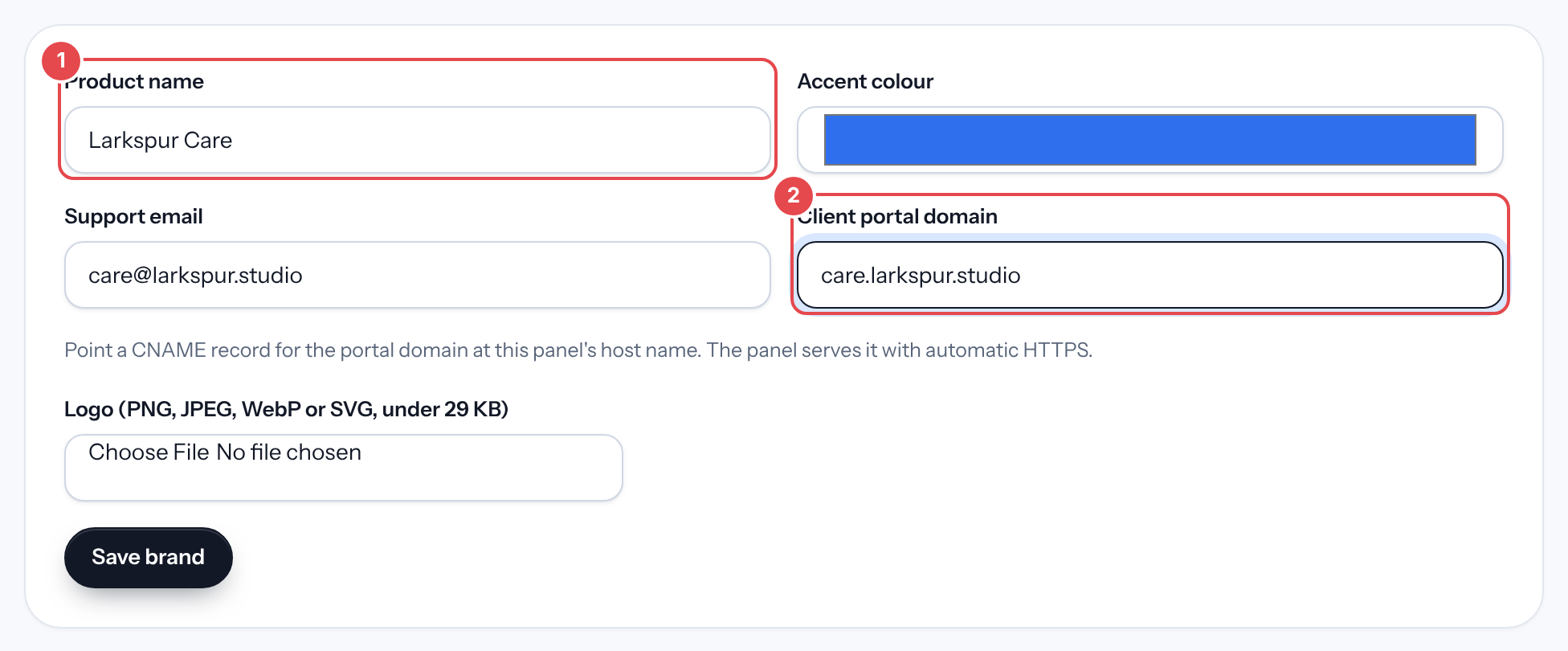
- Product name replaces "WPkeeper" in the panel, in emails, in PDF reports and in the connector plugin. Add your accent colour, support email and logo (PNG, JPEG, WebP or SVG, under 29 KB) too.
- Client portal domain is the address where your clients sign in, such as
care.youragency.com.
Press Save brand. The change applies at once.
Your own portal domain
- At your DNS provider, add a CNAME record for the portal domain that points to
wpkeeper.app. - Type the domain in Client portal domain and save.
- Open the domain. WPkeeper gets an HTTPS certificate for it on the first visit, which can take a few seconds.
Clients who sign in on your domain see only your brand and the sites you share with them. WPkeeper's own pages, such as these docs, are not served there.
The branded connector
After you save a brand, the connector download for your account carries your product name in the plugin list and in wp-admin, with your logo, colour and support email. Sites that already have the connector get the brand with their next connector update. The plugin's folder stays the same, so the update replaces the installed copy.
Questions
Can I send a report without my brand on it?
Reports always use the account's brand. Without a white-label name, they carry the WPkeeper name.
My portal domain shows a certificate error.
Check that the CNAME record points to wpkeeper.app and has spread (this can take up to an hour), and that the domain is saved exactly as you open it, without https://. WPkeeper asks for a certificate only for a domain saved in White-label.